Crea sito

Archive for category OpenCv

Processing and Opencv 2.3.1 – Contours detection and polynomial approximation

In the last episode of this short introduction to Opencv and Processing I want to show an algorithm that allows  to appreciate how with the libraries JavaCvPro you can use the OpenCV to implement an algorithm more sophisticated than the basic ones that I have proposed till now.

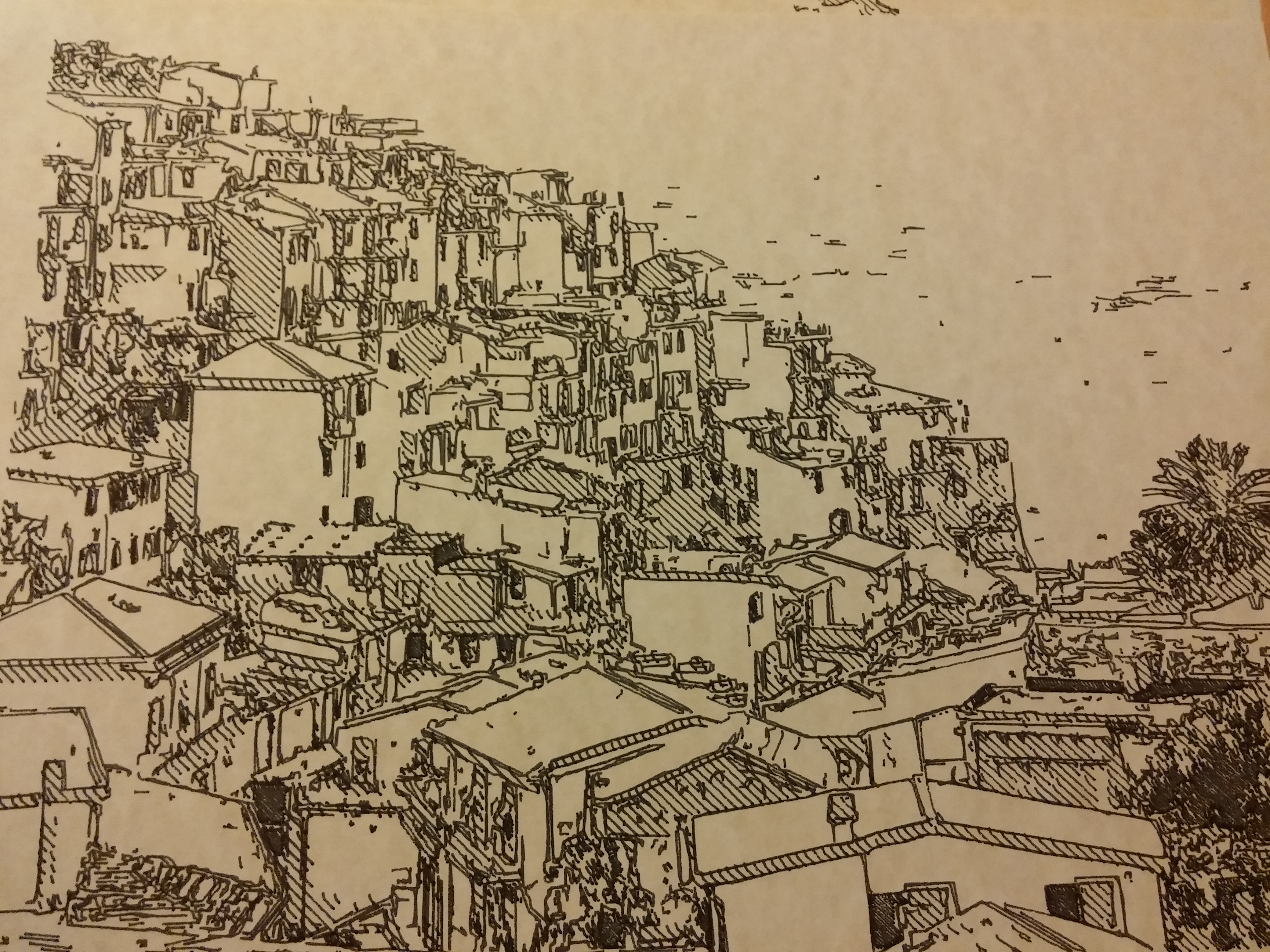
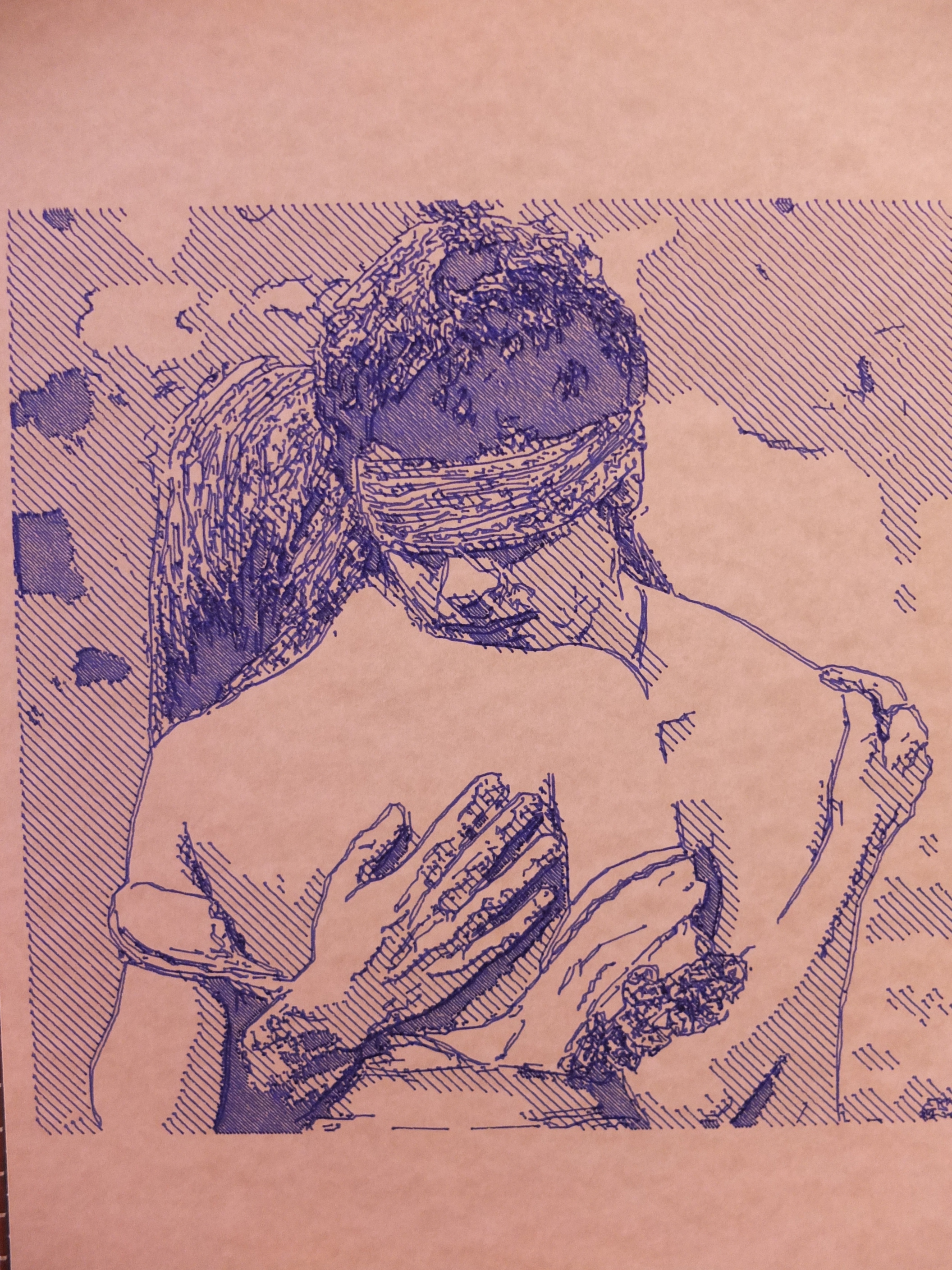
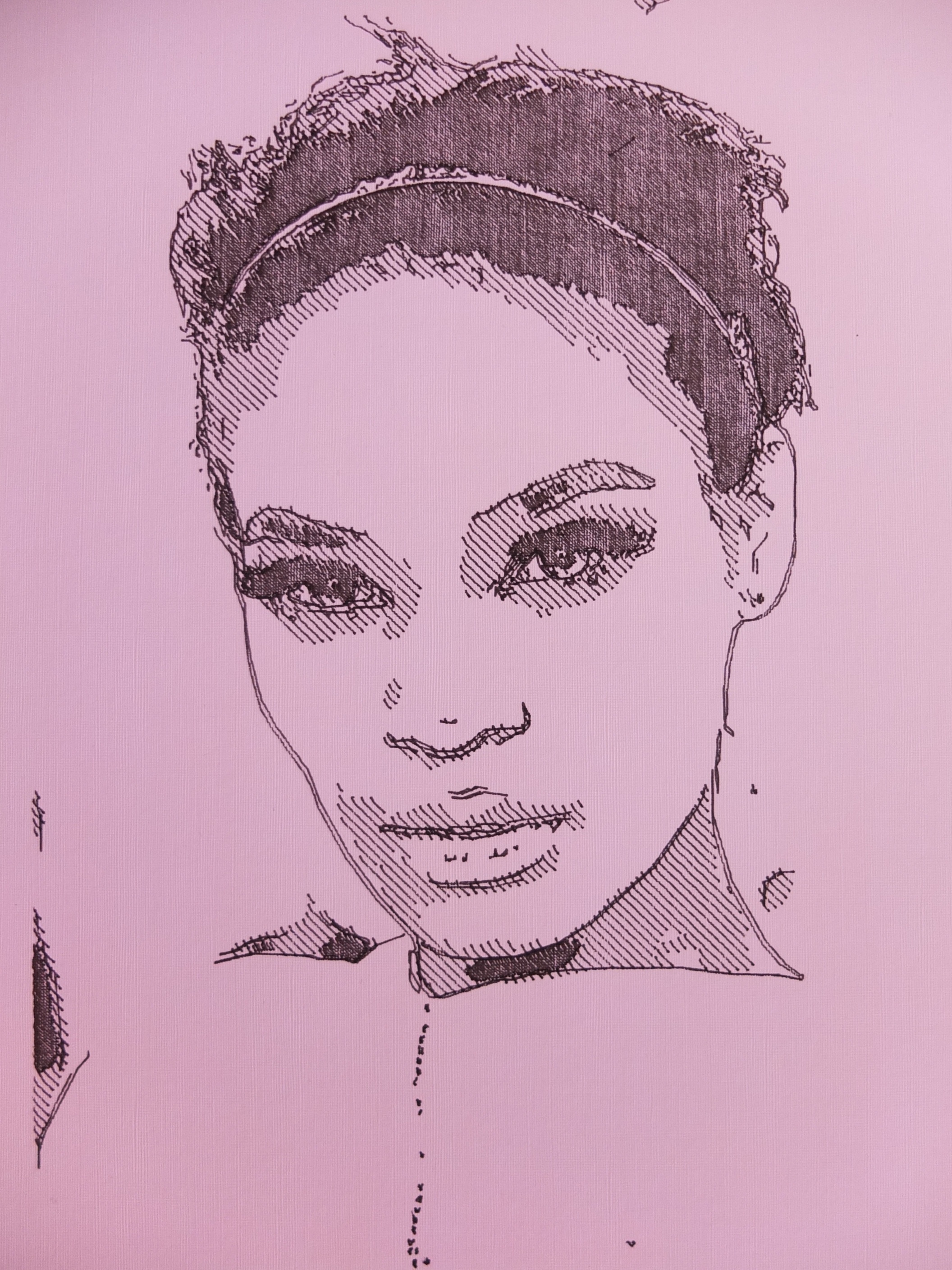
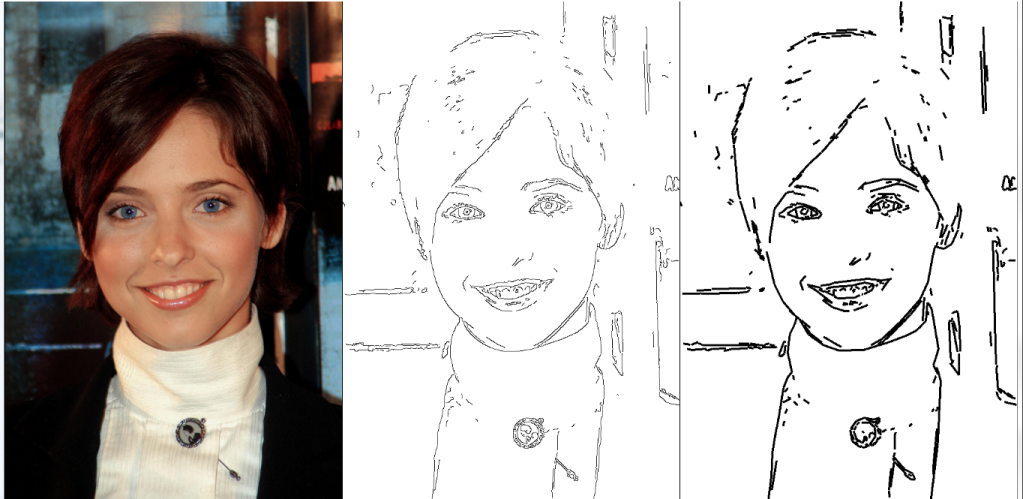
In this example I make the image edge detection. Then the contours detection is obtained and hence the contours are approximated by polynomial curve. In particular, the polynomial is a set of points that can be represented for example with the segments.
The code is organized as a function java but it is simple to adapt for different uses.


// -- opencv linearization variables
int iterazione=0;
int cc=-1;
int [][] E;
// ********************************************************
// OpenCV - Processing with JavaCvPro
// Edge detection - contour detection - polynomial approximation
// ********************************************************
Pimage goFilterCV(PImage draft) {

  E = new int[ow*oh][3]; // matrix for vertex list - weigth * height

  opencv.allocate(ow, oh); //allocate space for image in opencv

  //-- copy draft image to opencv IplImage with javacvpro library
  opencv_core.IplImage opencvImgSrc=opencv.fromPImage(draft);  // copy draft --> IplImage
  opencv_core.CvSize mySize=opencvImgSrc.cvSize();             // take the size of IplImage

  opencv_core.IplImage opencvImgDest= opencv_core.cvCreateImage(mySize, opencv_core.IPL_DEPTH_8U, 3); // build an image IplImage , 3 channels

  //--- bilateral filter effect
  for (int i=0; i<10; i++) {
    opencv_imgproc.bilateralFilter(opencvImgSrc, opencvImgDest, 3, 20.0, 50.0, 0 ); // applique un effet Flou gaussien 
    opencv_core.cvCopy(opencvImgDest, opencvImgSrc);
  }
  filter1 = createImage(ow,oh,RGB);
  filter1=toPImage(opencvImgDest);

  //-- define IplImage
  opencv_core.IplImage iplImgGray;
  opencv_core.IplImage iplImgGray1;
  iplImgGray = opencv_core.cvCreateImage(mySize, opencv_core.IPL_DEPTH_8U, 1);   // build an image IplImage , 1 channels - only gray
  iplImgGray1= opencv_core.cvCreateImage(mySize, opencv_core.IPL_DEPTH_8U, 1);   // build an image IplImage , 1 channels - only gray

  //-- transform colors in gray levels
  opencv_imgproc.cvCvtColor(opencvImgSrc, iplImgGray, opencv_imgproc.CV_RGB2GRAY);

  //-- edge detection - canny algo
  opencv_imgproc.cvCanny(iplImgGray, iplImgGray1, 100.0, 130.0, 3 );
  //opencv_imgproc.cvDilate(iplImgGray1, iplImgGray1, null , 1); // in alternative you can use the dilate function to better find the edges

  //-- contour detection
  opencv_core.CvMemStorage mem = opencv_core.CvMemStorage.create();
  opencv_core.CvSeq contour = new opencv_core.CvSeq(null);
  int total=opencv_imgproc.cvFindContours(iplImgGray1, mem, contour, Loader.sizeof(opencv_core.CvContour.class), opencv_imgproc.CV_RETR_LIST, opencv_imgproc.CV_CHAIN_APPROX_NONE);
  println("total point cvFindContours:"+total);

  //-- polynomial approximation
  while (contour != null && !contour.isNull ()) {
    iterazione++; //number of interactions
    opencv_core.CvSeq poly = null;
    if (contour.elem_size() > 0) {
      poly = opencv_imgproc.cvApproxPoly(contour, Loader.sizeof(opencv_core.CvContour.class), mem, opencv_imgproc.CV_POLY_APPROX_DP, 3, -1);

      //transfer to matrix
      int n = poly.total();
      opencv_core.CvPoint points = new opencv_core.CvPoint(n);
      opencv_core.cvCvtSeqToArray(poly, points.position(0), opencv_core.CV_WHOLE_SEQ);
      for (int i = 0; i < n; i++) {
        cc++;
        opencv_core.CvPoint pt = points.position(i);
        int x = pt.x();
        int y = pt.y();
        E[cc][0]=x;
        E[cc][1]=y;
        E[cc][2]=iterazione;
        // println("pts:"+i+" x:"+x+" y:"+y);
      }
    }
    contour = contour.h_next();
  } //end polynomial approx

 // -- print some values for debugging purposes
 // for (int i = 0; i < 100; i++) //contatore to have all the points
 // println(E[i][0]+" "+E[i][1]+" "+E[i][2]);

  draft=toPImage(iplImgGray1); // return draft - PImage
  return (draft);

}

// ********************************************************
// take an IplImage and give a PImage
// ********************************************************
PImage toPImage (opencv_core.IplImage iplImgIn) { // take an IplImage and give a PImage
  //--- put the IplImage in a bufferedImage
  BufferedImage bufImg=iplImgIn.getBufferedImage(); 

  //---- build a PImage with the same size of IplImage--- 
  PImage imgOut = createImage(iplImgIn.width(), iplImgIn.height(), RGB);

  // put the pixel of IplImage to imgOut.pixels of PImage
  bufImg.getRGB(0, 0, iplImgIn.width(), iplImgIn.height(), imgOut.pixels, 0, iplImgIn.width()); 

  imgOut.updatePixels(); // PImage update

  return(imgOut); // return the PImage
}

Processing and Opencv 2.3.1 – Using JavaCvPro

To use the OpenCV 2.3.1 in Processing  the shortest and easiest way is to use the JavaCvPro by X.Hinault.
The library JavaCVPro allows to use the OpenCV primitives in a very simple and immediate.
To use the webcam, it requires the library GSVideo  that can be installed in Processing / modes / java / libraries (for Processing 1.5).

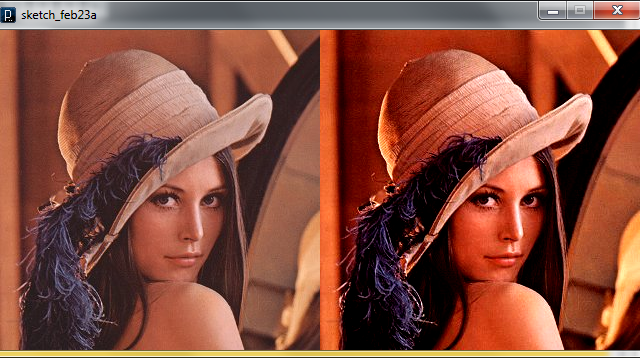
Here’s an example of JavaCVPro usage:

// Programme d'exemple de la librairie javacvPro
// par X. HINAULT - octobre 2011
// Tous droits réservés - Licence GPLv3

// Exemple fonction contrast()

import monclubelec.javacvPro.*; // importe la librairie javacvPro

PImage img;

String url="http://www.mon-club-elec.fr/mes_images/online/lena.jpg"; // String contenant l'adresse internet de l'image à utiliser

OpenCV opencv; // déclare un objet OpenCV principal

void setup(){ // fonction d'initialisation exécutée 1 fois au démarrage

        //-- charge image utilisée --- 
        img=loadImage(url,"jpg"); // crée un PImage contenant le fichier à partir adresse web

        //--- initialise OpenCV ---
        opencv = new OpenCV(this); // initialise objet OpenCV à partir du parent This
        opencv.allocate(img.width, img.height); // initialise les buffers OpenCv à la taille de l'image

        opencv.copy(img); // charge le PImage dans le buffer OpenCV

        //--- initialise fenêtre Processing 
        size (opencv.width()*2, opencv.height()); // crée une fenêtre Processing de la 2xtaille du buffer principal OpenCV
        //size (img.width, img.height); // aalternative en se basant sur l'image d'origine

        //--- affiche image de départ --- 
        image(opencv.getBuffer(),0,0); // affiche le buffer principal OpenCV dans la fenêtre Processing

        //--- opérations sur image ---
        opencv.contrast(+50); // applique réglage contraste sur le buffer principal OpenCV

        //--- affiche image finale --- 
        image(opencv.getBuffer(),opencv.width(),0); // affiche le buffer principal OpenCV dans la fenêtre Processing

       noLoop(); // stop programme 
}

void  draw() { // fonction exécutée en boucle

}


The code is very simple. All the opencv instructions are called simply using ‘opencv.’ before the real instruction. You can use the opencv instructions translated in Processing by X. Hinault in the JavaCvPro libraries.

But it is very interesting to mix OpenCv instruction supported by JavaCvPro libraries and native OpenCv instructions. The JavaCvPro allow to use also the native OpenCV instruction. This is a powerful tool!!!

In the example below, only native
OpenCV instructions are used.

// Example of using native OpenCVPro instruction in Processing
// Robottini.altervista.org
// example by X.Hinault modified
// Licence GPLv3

// Bilinear filter example

import com.googlecode.javacv.*;
import com.googlecode.javacv.cpp.*;
import monclubelec.javacvPro.*;
import java.awt.image.BufferedImage;
PImage imgDest, OrigImg;
void setup() {
  size(640, 240);
  String cheminFichier="C:/Users/Nane/Dropbox/Sorgenti Arduino/Jarkman/Foto/gioconda1.jpg";; 
  OrigImg=loadImage(cheminFichier,"jpg"); 
  //---- appel direct des fonctions de la librairie javacv ---- 
  //--- chargement d'un fichier image 
  opencv_core.IplImage opencvImgSrc= opencv_highgui.cvLoadImage(cheminFichier);

  opencv_core.CvSize mySize=opencvImgSrc.cvSize(); // récupère la taille de l'image 

  opencv_core.IplImage opencvImgDest= opencv_core.cvCreateImage(mySize, opencv_core.IPL_DEPTH_8U, 3); // crée une image IplImage , 3 canaux

  //--- application d'effet opencv ---
 for (int i=0; i<20; i++)
    opencv_imgproc.bilateralFilter(opencvImgSrc, opencvImgDest, 3,120.0, 190.00,1 ); // applique un effet Flou gaussien 

//============ récupérer une image openCV dans Processing ===== 
  //--- récupérer l'objet IplImage dans un BufferedImage 
  BufferedImage bufImg=opencvImgDest.getBufferedImage(); // récupère l'image

  //---- créer un PImage --- 
  PImage img = createImage(320,240, PConstants.RGB); 

  // charge les pixels de l'image buffer dans img.pixels
  bufImg.getRGB(0, 0, 320, 240, img.pixels, 0, 320); 
  img.updatePixels();
  image(OrigImg,0,0); 
  image(img,320,0); // affiche l'image
}
void draw() {

}


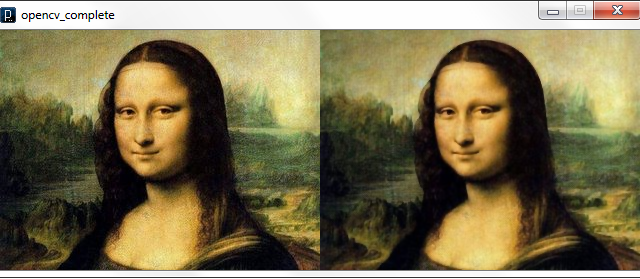
In this case the OpenCv instructions for Processing are used only in the last part of the code, in order to show the images. The coding of the native OpenCV instructions is more difficult, but very very powerful. It is possible to use almost the whole set of instructions offered by the OpenCv 2.3.1.

Processing and Opencv 2.3.1 – How to install in win 7

THIS HOW-TO WORKS ONLY WITH PROCESSING 1.5.1, NOT WITH THE LAST 2.03b


The procedures to install opencv 2.3.1 libraries and JavaCvPro are explained in several sites. But I had many difficulties doing an installation in Windows 7, even following the step-by-step guides.

Then I would write a step-by-step procedure that is as simple as possible. The information sources that I used are :

http://code.google.com/p/javacv/wiki/Windows7AndOpenCV

http://www.mon-club-elec.fr/pmwiki_reference_lib_javacvPro/pmwiki.php


This installation is working in windows 7 (32 and 64 bit) with Processing 1.5.  It was tested by me in 4 different pc. These are the steps:


1. Install the runtime components for Microsoft Visual C++ 2010:


2. Extract OpenCV-2.3.1-win-superpack.exe inside the root directory C:\. At the end, the opencv are in  C:\OpenCV\


3. Add the ddl path generated by opencv to windows 7 path. This can be made easily with a free program:  RapidEE. Download it from here and launch it.


4. Find the registry key PATH and click on it.


5. Click the right mouse button and choose add value in the menu. Add these values:

  • C:\opencv\build\x64\vc10\bin\
  • C:\opencv\build\x64\vc10\lib\
  • C:\opencv\build\common\tbb\intel64\vc10\

If the win7 32bit version the directory are with x86 instead of x64. For 32bit version add also C:\opencv\build\common\tbb\ia32\vc10\


6. Download the JavaCvPro library (version 0.3) here.


7. Extract and copy all in the Processing library directory: Processing /Mode/java/libraries


8. Download the last version of binary JavaCV  library here (today is  javacv-bin-20120329.zip).


9. Extract and copy all in the Processing library directory: Processing /Mode/java/libraries


10. Create a directory called library inside the javacv-bin directory and put all the file (not the sample directory) inside this new library directory


11. Rename the library javacv-bin extracted with this name: javacv


12. Download the last version of the binary Javacpp library here  ( today is javacpp-0.1-bin.zip)


13. Extract and copy all in the Processing library directory: Processing /Mode/java/libraries


10. Create a directory called library inside the javacpp-bin directory and put all the file (not the sample directory) inside this new library directory


11. Rename the library javacpp-bin with this name: javacpp


If all the steps are succeeded, it is done. Now you can start Processing and test this simple program (take from here):

import com.googlecode.javacv.*;
import com.googlecode.javacv.cpp.*;

import monclubelec.javacvPro.*;

OpenCV opencv; // déclare un objet OpenCV principal

void setup(){ // fonction d'initialisation exécutée 1 fois au démarrage

        opencv = new OpenCV(this); // initialise objet OpenCV à partir du parent This
        opencv.allocate(320,240); // crée le buffer image de la taille voulue

}

void  draw() { // fonction exécutée en boucle

}


It is very important to include also the javacv and javacpp libraries. In the http://www.mon-club-elec.fr documentation this is not required, but in my experience, without these libraries, the program doesn’t work.


Tags: , , ,